


Sync Salesforce and Azure DevOps effortlessly with real-time two-way updates 

Sync Salesforce cases and escalation data with Azure DevOps work items to connect customer issues with engineering execution—without manual handoffs.

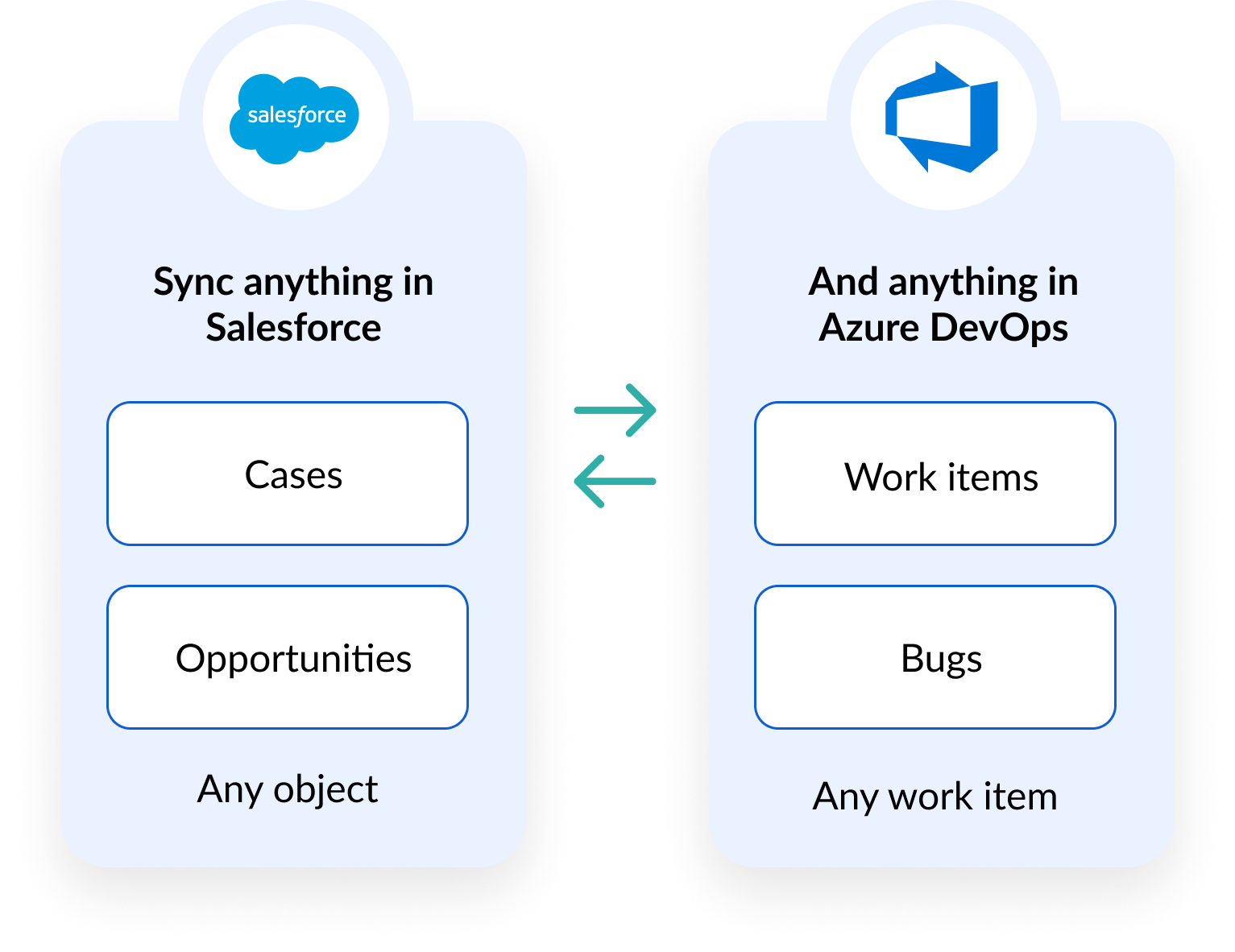
Sync anything in Salesforce, like Cases and Opportunities, and anything in Azure DevOps, like Work items and Bugs. Visual

TRUSTED BY FORTUNE 500 COMPANIES AND GLOBAL BRANDS

hp logo
mit logo
warner bros logo
logitech logo
ey logo
stanford university logo
boston scientific logo

Your Salesforce-Azure DevOps setup in simple steps

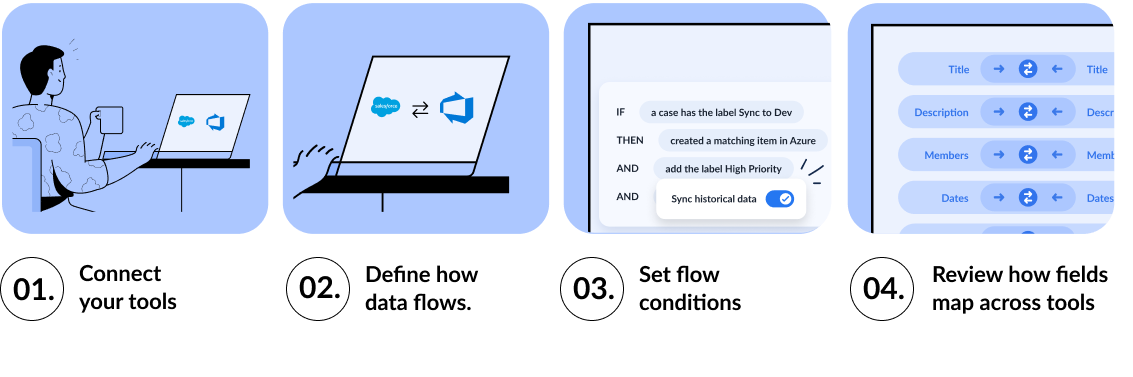
Our team works with you to configure your integration needs from start to finish, tailored to your business workflows. Once it's live, Unito keeps everything in sync automatically, and your integration stays reliable, simple to adjust and effortless to maintain.


Illustration of how to set up a Salesforce and Azure DevOps flow

Why customers choose Unito

Two-way sync

True two-way sync,
out-of-the-box

Unito provides a ready-to-use integration between Salesforce and Azure DevOps, allowing teams to escalate customer issues to engineering quickly and reliably.

Configurable

Fully configurable,
no-code

Define exactly how Salesforce cases map to Azure DevOps work items. Control sync behavior with no-code configuration to match your escalation workflows.

Enterprise scale

Enterprise-scale and
resilience

Supports large pipelines, busy support teams, and high development throughput. Unito scales as customer and engineering demands increase.

HOW IT WORKS

Turn customer cases into engineering work without manual handoffs

Sync Salesforce cases with Azure DevOps work items to connect customer issues directly to engineering execution. Both teams stay aligned as status, ownership, and resolution details update in real time.
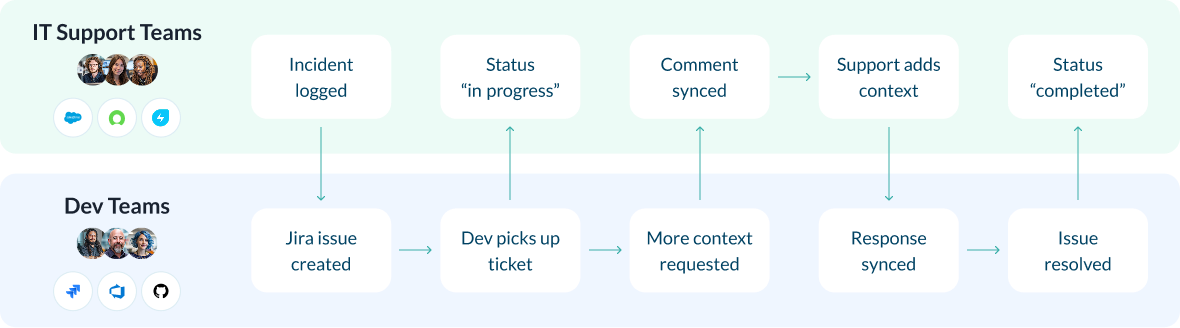
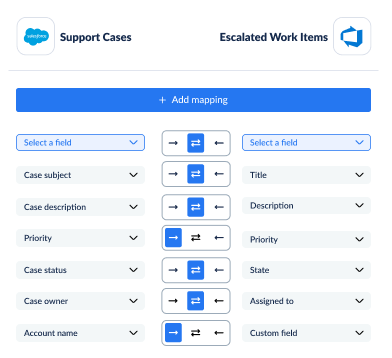
Illustration of a ticket escalation workflow with Unito


Example field mapping between Salesforce and Azure DevOps

Convert customer escalations into engineering execution

Connect Salesforce cases to Azure DevOps work items using no-code field mapping to keep customer-facing and engineering teams aligned:

  • Case titles and work item names
  • Descriptions and supporting details
  • Priority and urgency
  • Ownership and assignment
  • Status and custom fields

Fully configurable, no scripting required.

Turn customer cases into engineering work automatically

Control when Salesforce cases should create Azure DevOps work items so customer issues are addressed quickly and consistently.
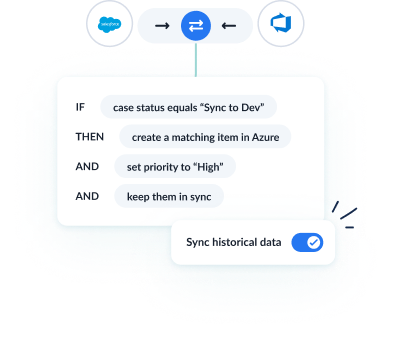

Example rules for a Salesforce Azure DevOps flow with Unito

Real-world ways teams escalate work across tools

Connect customer cases to engineering execution

Sync Salesforce cases with Azure DevOps work items to streamline escalation workflows.

Reduce manual handoffs

Eliminate copy-pasting and duplicate tracking between support and engineering.

Align customer impact with delivery

Ensure engineering prioritization reflects real customer needs.

Improve cross-team accountability

Keep both teams aligned as work moves from intake to resolution.

Tool A Logo Tool B Logo

How SEKO Logistics cut manual work and saves $56,000 annually

SEKO Logistics integrated ServiceNow and Jira to eliminate manual ticket creation and updates. With Unito, they automated their escalation flow, reduced license costs, and saved 338 hours annually.


$56k saved annually
3,800 tickets synced weekly
338 hours saved annually
— Loren McDowell, IT Operations Manager
Unito isn’t just a nice-to-have — it’s a necessity once you realize how much time and effort it saves.
— Loren McDowell, IT Operations Manager

Enterprise-grade security and reliability

SOC logo

SOC 2 Type 2 certified

GDPR and CCPA logos

GDPR and CCPA compliant

Blue database icon with a padlock, representing secure data or no data stored.

No data stored by Unito

Power your Salesforce + Azure DevOps workflows with real-time two-way sync.

Get a personalized demo and see your Salesforce-Azure DevOps sync live.