


Sync ServiceNow and Salesforce effortlessly with real-time two-way updates 

Keep ServiceNow incidents, requests, and Salesforce cases aligned automatically with Unito’s two-way sync.

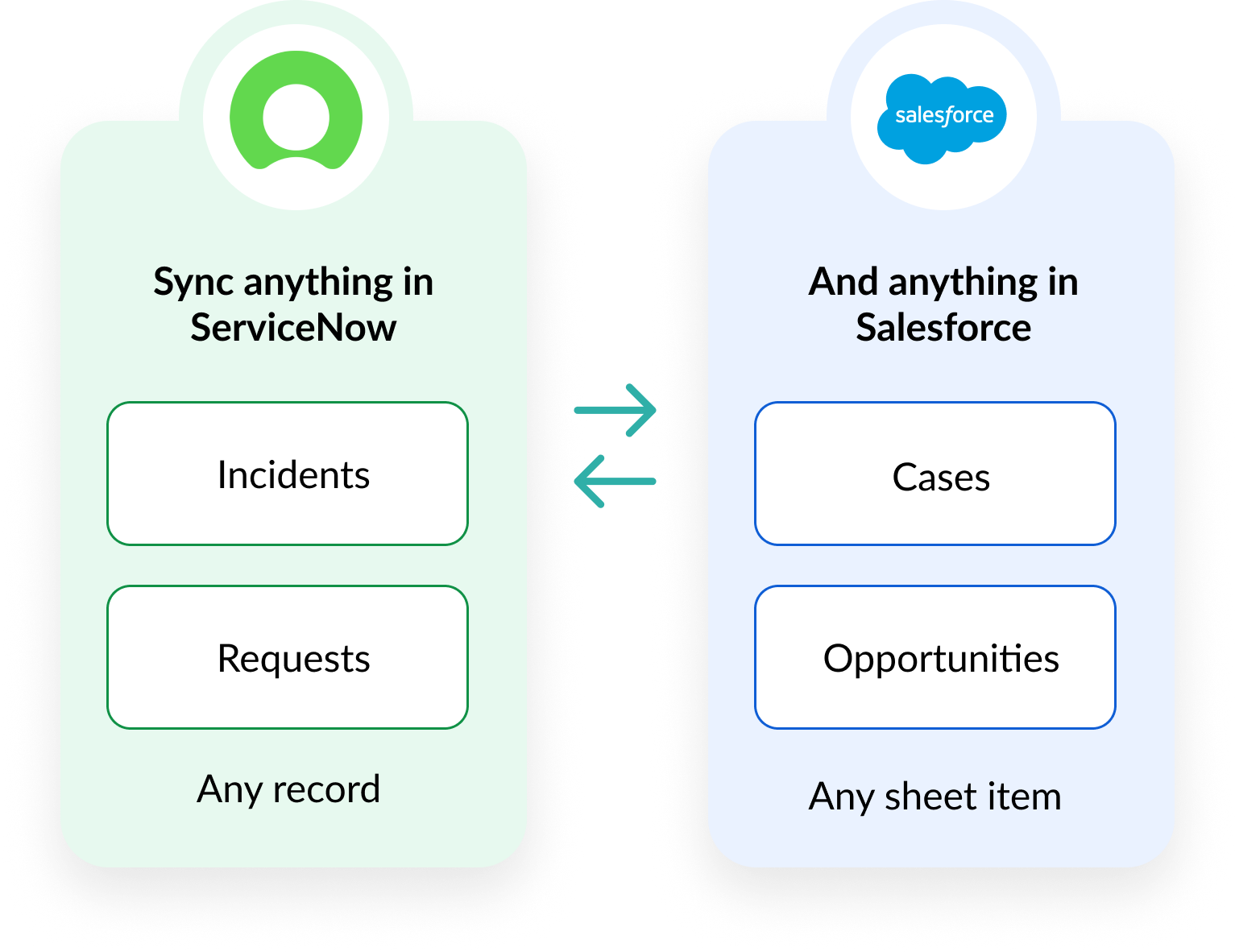
Sync anything in ServiceNow, like Incidents and Requests, and anything in Ssalesforce, like Cases and Opportunities. Visual

TRUSTED BY FORTUNE 500 COMPANIES AND GLOBAL BRANDS

hp logo
mit logo
warner bros logo
logitech logo
ey logo
stanford university logo
boston scientific logo

Your ServiceNow-Salesforce setup in simple steps

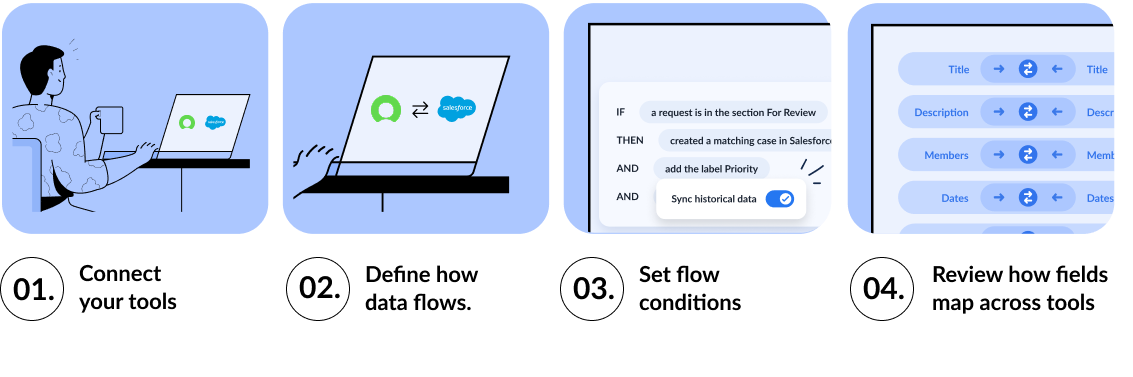
Our team works with you to configure your integration needs from start to finish, tailored to your business workflows. Once it's live, Unito keeps everything in sync automatically, and your integration stays reliable, simple to adjust and effortless to maintain.


Illustration of how to set up a ServiceNow and Salesforce flow

Why customers choose Unito

Two-way sync

True two-way sync,
out-of-the-box

Unito offers intuitive, out-of-the-box two-way sync that aligns ServiceNow incidents and requests with Salesforce cases. No IT bottlenecks or scripting—teams configure it quickly and see immediate value.

Configurable

Fully configurable,
no-code

Use no-code field mappings, filters, and sync rules to tailor how ServiceNow records connect to Salesforce objects. Sync only the data required across IT and customer-facing teams.

Enterprise scale

Enterprise-scale and
resilience

Ideal for environments with large ticket queues and active customer operations. Unito scales easily to keep both systems aligned during high-volume periods.

HOW IT WORKS

Unified records across service and customer workflows

Connect ServiceNow operational data with Salesforce customer information. Sync incidents, requests, and case records so IT, support, and account teams always work from the same up-to-date source of truth without switching tools or relying on manual updates.

Illustration of a ticket management workflow with Unito


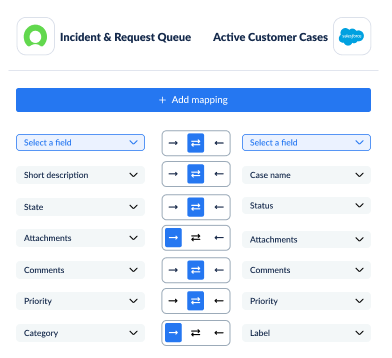
Example field mappings between ServiceNow and Salesforce

Precise field mapping, no code needed

Connect ServiceNow incidents and requests to Salesforce cases with no-code field mapping. Sync the critical fields teams need most:

  • Short descriptions / case subjects
  • Full descriptions
  • Priority
  • Assigned to / case owner
  • State, status, and custom fields

Fully customizable, no scripting needed.

Custom sync rules that keep both tools aligned

Use sync rules to control when and how ServiceNow records sync into Salesforce. Trigger case creation or updates based on state, priority, assignment group, or any custom field—so only the right incidents and requests flow into customer-facing workflows. Historical items can also be synced automatically.

Example sync rules for a ServiceNow - Salesforce workflow.

Built for every cross-platform workflow

Case escalation and routing

Sync urgent ServiceNow incidents into Salesforce so support and account teams can coordinate customer communication and follow-through.

Request handling and follow-up

Turn ServiceNow requests into Salesforce cases to ensure customer-facing teams have the full context needed to resolve issues quickly.

Record syncing for consistent customer context

Sync incidents, requests, and case details between ServiceNow and Salesforce so support, IT, and account teams all work from the same up-to-date customer information without manual updates or duplication.

Unified visibility across teams

Give IT, support, and account teams a real-time, shared view of work across ServiceNow and Salesforce—no manual handoffs or status chasing.

Tool A Logo Tool B Logo

How SEKO Logistics cut manual work and saves $56,000 annually

SEKO Logistics integrated ServiceNow and Jira to eliminate manual ticket creation and updates. With Unito, they automated their escalation flow, reduced license costs, and saved 338 hours annually.


$56k saved annually
3,800 tickets synced weekly
338 hours saved annually
— Loren McDowell, IT Operations Manager
Unito isn’t just a nice-to-have — it’s a necessity once you realize how much time and effort it saves.
— Loren McDowell, IT Operations Manager

Enterprise-grade security and reliability

SOC logo

SOC 2 Type 2 certified

GDPR and CCPA logos

GDPR and CCPA compliant

Blue database icon with a padlock, representing secure data or no data stored.

No data stored by Unito

Power your ServiceNow + Salesforce workflows with real-time two-way sync.

Get a personalized demo and see your ServiceNow-Salesforce sync live.